Illustration#
Syntax#
 1
 2
 3
 4
 5
 6
 7
 8
 9
10
11
12
13
14
15
16
17
18
19
20
21
22
23
24
25
26
27
| class Example {
public:
// Public Data Members
// Sometimes called: attributes, properties, or fields
int count;
// Public Member Functions
// Sometimes called: Methods, Class Functions
void greet() { cout << "Hello"; }
// Accessor
double get_length() { return length; }
string get_secret() { return generate_secret(); }
// Mutator
void set_length(double l) { length = l; }
private:
// Private Data Members
// Sometimes called: attributes, properties, or fields
string name;
double length;
// Private Member Functions
// Sometimes called: Private Helper Functions
string generate_secret() { return name + " Secret Suffix"; }
};
|
Example#
 1
 2
 3
 4
 5
 6
 7
 8
 9
10
11
12
13
14
15
16
17
18
19
20
21
22
23
| class Pokemon {
public:
// What it is
int number;
string name;
string type;
string cry;
// What it does
void print_cry() { cout << cry << endl; }
void launch() { cout << "GO! " << name << ". " << cry << endl; }
};
int main() {
Pokemon bulbasaur;
bulbasaur.number = 1;
bulbasaur.name = "Bulbasaur";
bulbasaur.type = "Grass/Poison";
bulbasaur.cry = "Bulbaaa";
bulbasaur.print_cry(); // Bulbaaa
bulbasaur.launch(); // Go Bulbasaur! Bulbaaa
}
|
History#
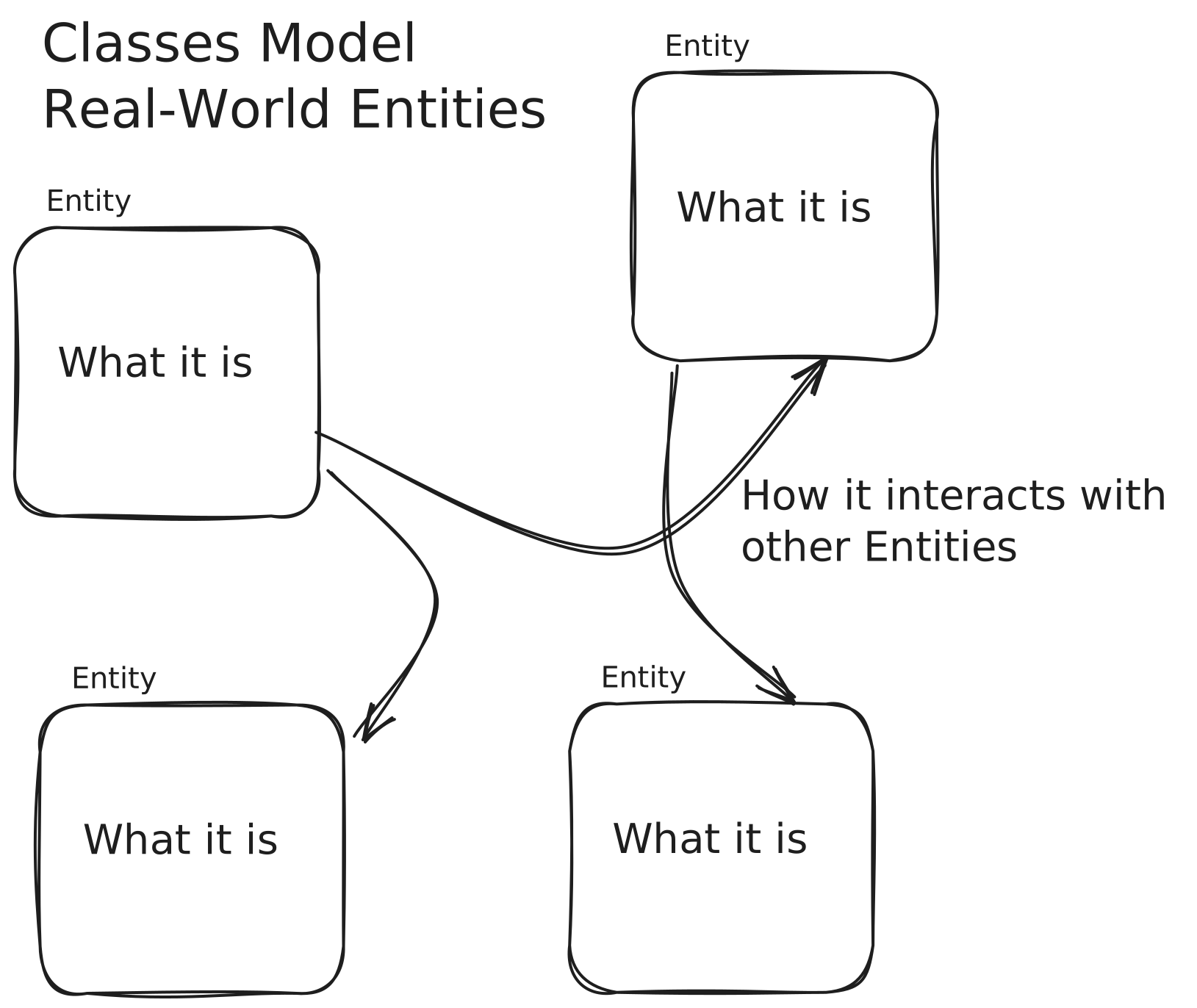
C++ was designed to be an enhanced C language, and included classes as one of its core features. Wikipedia Link
Classes Define Objects#
- Object — An code entity which encapsulates data and functions together.
- Class — The definition of an object’s data & functions. The class is a data type, like
int or struct.
 1
 2
 3
 4
 5
 6
 7
 8
 9
10
| class Tree { // The Class
int height;
string genus;
string species;
};
int main() {
Tree tree; // The object
tree.height = 1; // Using the object
}
|
Public & Private Keywords#
- Public — Public data & functions can be accessed outside the class definition.
- Private — Private data & functions can only be accessed within the class definition.
Example of public & private keywords#
This Tree class uses a private variable to ensure that the tree’s height can only increase by calling the .grow() function. This is about the programmer’s intention, not a technical requirement.
 1
 2
 3
 4
 5
 6
 7
 8
 9
10
11
12
13
14
15
16
17
18
19
20
21
22
23
24
25
26
27
28
29
30
31
32
33
34
35
36
37
38
39
40
| class Tree {
public:
// Class users cause `height_in_meters` to change by calling .grow()
void grow() { height_in_meters += 2; }
// Use height_in_meters to output a picture of the tree's current height.
void print() {
cout << " @@@@@@ " << endl;
cout << " @........@ " << endl;
cout << "@............@" << endl;
cout << "@............@" << endl;
cout << "@............@" << endl;
cout << " @........@ " << endl;
// cout << " || " << endl;
for (int i = 0; i < height_in_meters; ++i) {
cout << " || " << endl;
}
cout << "~~~~~~~~~~~~~~" << endl;
}
private:
int height_in_meters = 0;
};
int main() {
Tree tree;
// ❌ error: 'height_in_meters' is a private member of 'Tree'
tree.height_in_meters = 44;
// Tree gets taller.
tree.grow();
cout << "After Year 1" << endl << endl;
tree.print();
// Tree gets even taller.
tree.grow();
cout << "After Year 2" << endl;
tree.print();
}
|
Output (if the error is removed)
After Year 1
    @@@@@@
  @........@
@............@
@............@
@............@
  @........@
      ||
      ||
~~~~~~~~~~~~~~

After Year 2
    @@@@@@
  @........@
@............@
@............@
@............@
  @........@
      ||
      ||
      ||
      ||
~~~~~~~~~~~~~~
Mutator & Accessor#
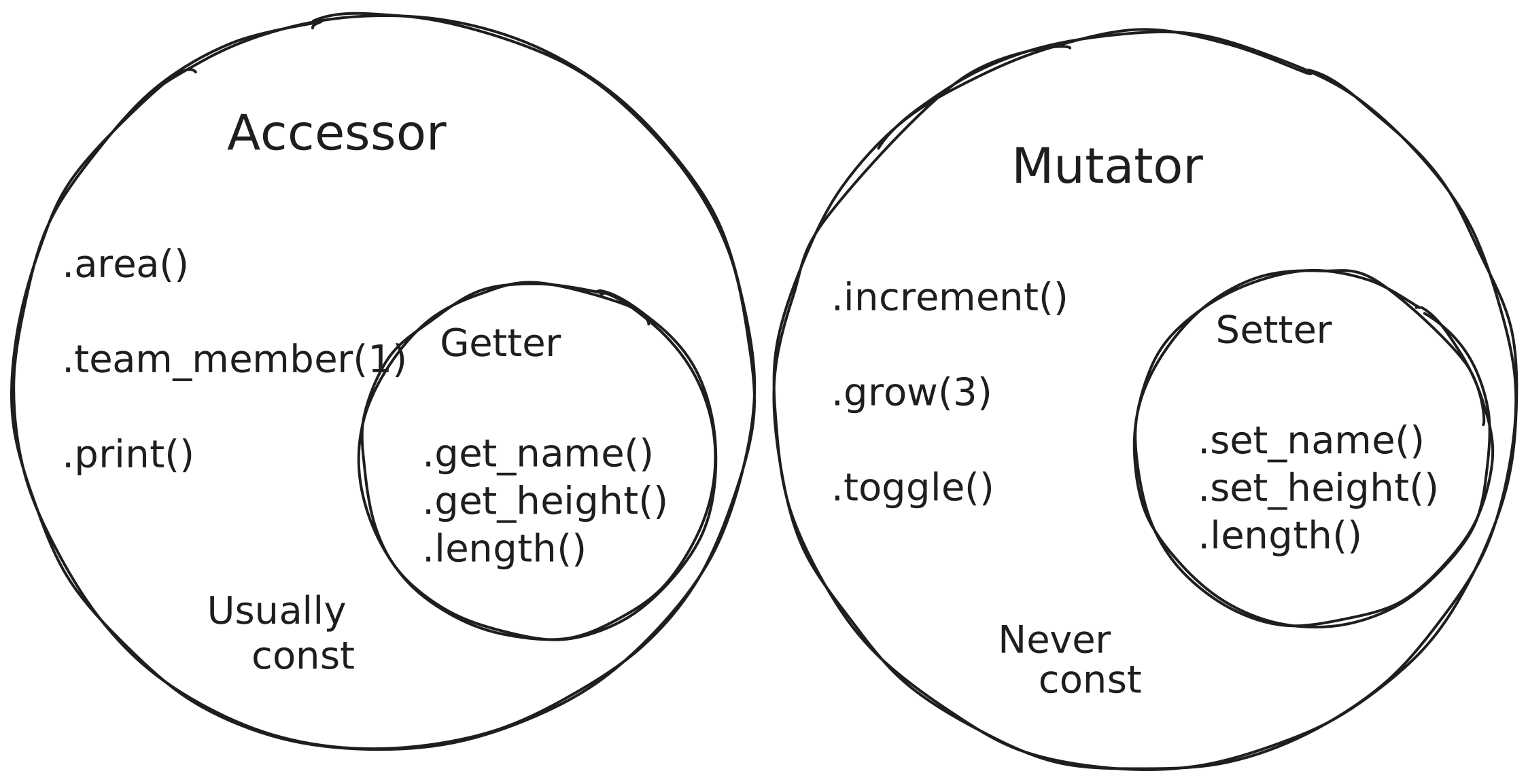
- A mutator method changes the value of a class’s data member. A setter is a subset of mutator which directly corresponds to a specific data member.
- An accessor method returns the value of a class’s data member, but does not change it. A getter is a subset of accessor which directly corresponds to a specific data member. Usually marked
const.
Using const#
Methods may be marked const to prevent the function from modifying the class at all. The compiler will enforce this. (This is different from returning a const data type.)
1
2
3
4
5
6
| class Example {
public:
// ...
int get_num() const { return number; } // const goes after the parameter list
// ...
};
|
| Can it Modify a Class? | Does it Return a Value? | Does it Match a Single Property? | Usually const? |
|---|
| Accessor | ✕ | ✔︎ | ✕ | ✔︎ |
| Getter | ✕ | ✔︎ | ✔︎ | ✔︎ |
| Mutator | ✔︎ | ✕ | ✕ | ✕ |
| Setter | ✔︎ | ✕ | ✔︎ | ✕ |
Example of Getter & Setter#
This version of Pokemon class has a set of up to four moves. This setter prevents too many from being added, which would not be possible if the .moves data member was public, since the caller could simply use .moves.push_back("another")
 1
 2
 3
 4
 5
 6
 7
 8
 9
10
11
12
13
14
15
16
17
18
19
20
21
22
23
24
25
26
27
28
29
30
31
32
33
34
| const int MAX_MOVES = 4;
class Pokemon {
public:
int number;
string name;
string type;
string cry;
void print_cry() { cout << cry << endl; }
void launch() { cout << "GO! " << name << ". " << cry << endl; }
// New
// Prevents more than 4 Moves from being added
void set_move(int position, string move_name) {
// Ignore invalid positions
if (position < 0 || position > MAX_MOVES - 1) {
return;
}
moves.at(position) = move_name;
}
string get_move(int position) const { // `const` ensures no mutations occur
// Ignore invalid positions
if (position < 0 || position > MAX_MOVES - 1) {
return "";
}
return moves.at(position);
}
private:
// New
vector<string> moves = {};
};
|
Private Helper Function#
A private helper function is simply a private function that is used within the class by other public or private methods.
 1
 2
 3
 4
 5
 6
 7
 8
 9
10
11
12
13
14
15
| class RightTriangle {
public:
void set_base(double length) { base = length; }
void set_height(double length) { height = length; }
// Only concerned with "getting"
double area() { return calculate_area(); }
private:
double base;
double height;
// Only concerned with "calculating"
double calculate_area() { return (base * height) / 2; }
};
|
Class Property Initialization#
Class data members can have a default value provided in the class definition.
If the property is initialized in the class, every object’s data member will have the provided value when the object is declared.
 1
 2
 3
 4
 5
 6
 7
 8
 9
10
11
12
13
14
15
16
|
class Tree {
public:
    string genus;
    string species;
    double height_in_meters = 0; // initialized to 0

    // ...
};

int main() {
    Tree tree1;                           // height is 0
    Tree tree2 = {"Quercus", "rubra", 2}; // height is 2
    Tree tree3 = {"Quercus", "rubra"};    // height is 0
    tree1.height_in_meters = 100;         // height is 100
}
|
Example: Tree Class#
Write a class Tree which has private data members genus, species, & age and has getters and setters for each private data member. The appropriate methods should be marked const. Initialize age to zero.
In the main function, create a Tree object, set all its data members, and output them to cout.
 1
 2
 3
 4
 5
 6
 7
 8
 9
10
11
12
13
14
15
16
17
18
19
20
21
22
23
24
25
26
27
28
29
30
31
32
33
34
35
36
37
38
39
40
| #include <iostream>
#include <string>
using namespace std;
class Tree {
public:
// Getters can be `const` because they don't need to change any
// data members of the class
// Getter & Setter for Genus
string get_genus() const { return genus; }
void set_genus(string g) { genus = g; }
// Getter & Setter for Species
string get_species() const { return species; }
void set_species(string s) { species = s; }
// Getter & Setter for Age
int get_age() const { return age; }
void set_age(int a) { age = a; }
private:
// Private data members
string genus;
string species;
int age = 0;
};
int main() {
// Declare the Tree object
Tree oak;
// Set the Tree object's properties
oak.set_genus("Quercus");
oak.set_species("rubra");
// Output
cout << oak.get_genus() << " " << oak.get_species()
<< ". Age: " << oak.get_age() << endl;
}
|
Output
Quercus rubra. Age: 0
Example Program: Toward a Pokémon Battle Clone#
Work in Progress
 1
 2
 3
 4
 5
 6
 7
 8
 9
10
11
12
13
14
15
16
17
18
19
20
21
22
23
24
25
26
27
28
29
30
31
32
33
34
35
36
37
38
39
40
41
42
43
44
45
46
47
48
49
50
51
52
53
|
class Pokemon {

public:
  int number;
  string name;
  string type;
  string cry;

  void print_cry() { cout << cry << endl; }
  void launch() { cout << "GO! " << name << ". " << cry << endl; }
};

class PokemonTeam {

public:
  vector<Pokemon> team;

  // Print each Pokemon in the team with a number prefix
  void print() {
    for (int i = 0; i < team.size(); i++) {
      cout << i + 1 << ". " << team.at(i).name << endl;
    }
  }

  Pokemon get_user_pokemon_selection() {
    // Print
    print();

    // Accept input (integer)
    int user_selection;
    cin >> user_selection;

    // Return selection
    Pokemon selected_pokemon = team.at(user_selection - 1);
    return selected_pokemon;
  }
};

int main() {
  PokemonTeam brock;
  brock.team.push_back({1, "bulbasaur", "grass/poison", "bulbaaaaaaaa"}); // 1
  brock.team.push_back({13, "Weedle", "Bug/Poison", "dllllllll"});        // 2
  brock.team.push_back({2, "Ivysaur", "Grass/Poison", "Iiiiivy-saur"});   // 3
  brock.team.push_back({11, "Caterpie", "Bug", "cater-cater"});           // 4
  brock.team.push_back({4, "charmander", "fire", "char-char"});           // 5

  // Show menu & Launch
  Pokemon selected = brock.get_user_pokemon_selection();
  selected.launch();
  // Or
  brock.get_user_pokemon_selection().launch();
}
|